
SPSS & SmartPLS Analysis Support Malaysia
Our SPSS & SmartPLS analysis Malaysia service helps you choose the right method, understand your statistical output and report findings clearly. We support Master’s, PhD, DBA, MBA and Final Year Project students with structured, objective-aligned guidance.
Analysis should follow your objectives—not the software
Before recommending a test or model, we review your research objectives, hypotheses, variables, measurement scale, sample and university requirements. This avoids choosing a technique simply because it is available in the software.
Data preparation
- Variable coding and labels
- Missing-data and outlier checks
- Data cleaning strategy
- Assumption screening
Statistical analysis
- Descriptive statistics
- Reliability and validity
- Correlation and regression
- Group-comparison tests
Results reporting
- Clean tables and figures
- Accurate interpretation
- Hypothesis decisions
- Objective-by-objective structure
SPSS & SmartPLS analysis: select the right tool
The right choice depends on the model, measurement approach, hypotheses, data characteristics and supervisor expectations—not which platform looks more advanced.
SPSS support
Suitable for many descriptive, relationship, prediction and group-comparison questions.
- Descriptive statistics and data screening
- Reliability analysis
- Correlation and multiple regression
- t-tests, ANOVA and non-parametric tests
- Interpreting significance, confidence intervals and effect sizes
SmartPLS support
Useful when the study uses PLS-SEM to assess measurement and structural models.
- Reflective and formative measurement models
- Reliability, convergent and discriminant validity
- Path coefficients and bootstrapping
- Mediation, moderation and predictive assessment
- Clear reporting aligned with the model
From software steps to defensible interpretation
These educational examples show the type of workflow and reporting guidance available. Student identities and confidential information are excluded.
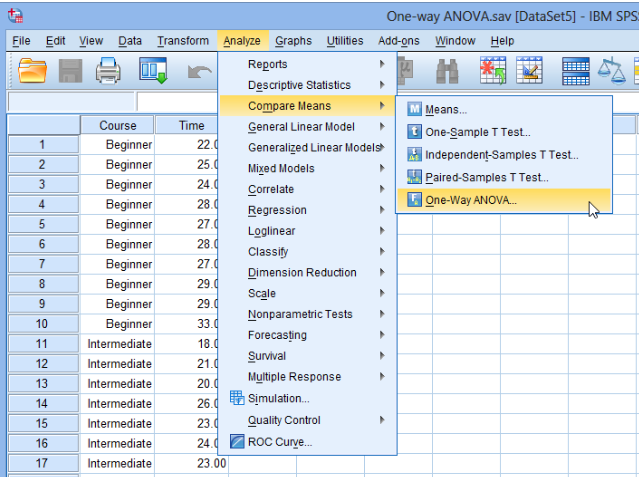
Match the analysis to the objective, variables and research design.
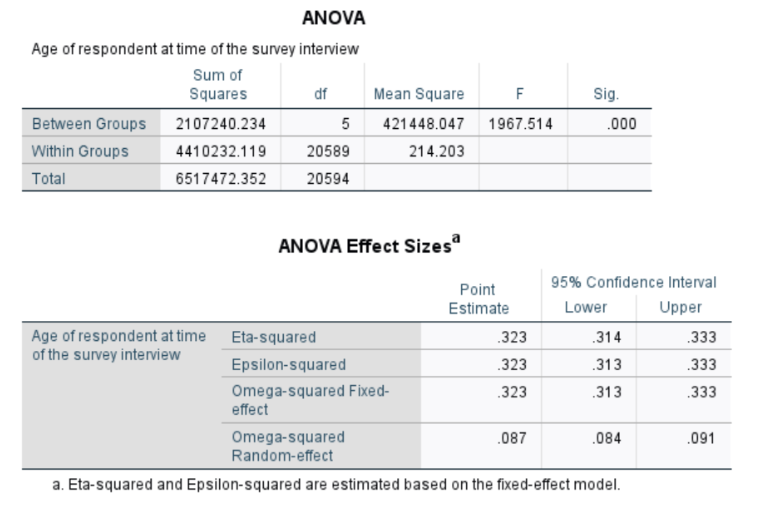
Understand significance, effect size and what the results can validly support.
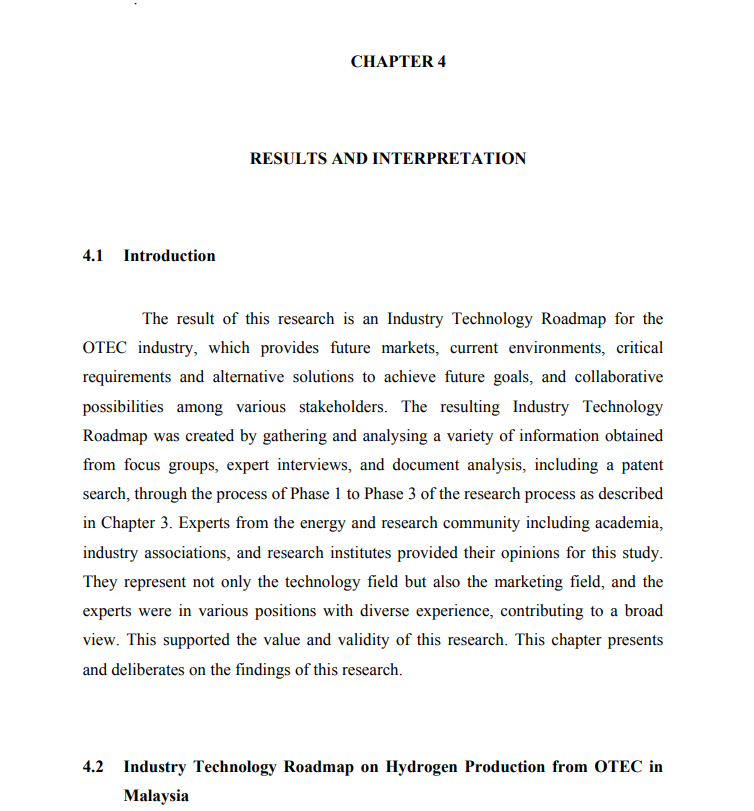
Present results clearly and connect every analysis to a research objective.
How the analysis support process works
Review
Share your objectives, questionnaire, dataset and university requirements.
Plan
Map each research question or hypothesis to a suitable analysis.
Analyse & learn
Work through the procedure and understand the purpose of each output.
Report & revise
Organise Chapter 4 and respond consistently to supervisor feedback.
Build the analysis on a sound methodology
Good statistics cannot repair an unclear objective, unsuitable sampling plan or weak measurement instrument. Review the broader research design before data collection whenever possible.
SPSS and SmartPLS questions
Should I use SPSS or SmartPLS?
SPSS supports many conventional statistical procedures, while SmartPLS is used for PLS-SEM measurement and structural models. The decision should follow your objectives, conceptual framework, data and supervisor requirements.
Can you check my data before analysis?
Yes. Data screening can include coding, missing values, unusual responses, outliers and relevant statistical assumptions before the main analysis begins.
Can you explain my statistical output?
Yes. Guidance focuses on what each result means, what can validly be concluded and how to report the finding in clear academic language.
Do you support supervisor corrections?
Yes. Share the written feedback together with the latest analysis and chapter so each correction can be translated into a specific revision task.
Make your analysis easier to defend
Send your research objectives, questionnaire or dataset and supervisor feedback for an initial review.